
AIMadTech Stack Builder vs Miro
Miro is a great whiteboard. The AIMadTech Stack Builder is built for MarTech stacks: real tools with logos, automatic layout and an estimated monthly cost.
The quick verdict
Miro is an excellent online whiteboard: freeform, fast and built for workshops with many people editing at once. If your stack diagram is part of a bigger session, it is a natural place to sketch it.
If you want the stack itself (the actual tools, organised by zone and category, with an estimated monthly cost and suggestions that fit your setup), the Stack Builder does that work for you, and it is free.
Feature by feature
| Feature | AIMadTech Stack Builder | Miro |
|---|---|---|
| MarTech and AdTech tools with logos, ready to drop in | 202 reviewed tools | Generic shapes; find logos yourself |
| Tools placed by zone and category for you | Yes | No |
| Estimated monthly cost of the stack | Range, with editable company size and spend | No |
| Suggestions that fit your channels and platforms | By integration and B2B focus | No |
| Fill the stack by scanning your website | Free account | No |
| Swap a tool for an alternative in one click | Yes | No |
| Export | PNG diagram, CSV cost table | Image, PDF |
| Share a read-only link | Free account | Yes |
| Price | Free, no sign-up to start | Free plan with limits; account needed |
| Freeform drawing and custom shapes | No | Yes |
| Real-time collaboration and comments | No | Yes |
| Workshop templates, sticky notes and voting | No | Yes |
Miro details from public product pages, checked November 2026. Plans and limits change; check the vendor's site.
Why marketing teams use the Stack Builder
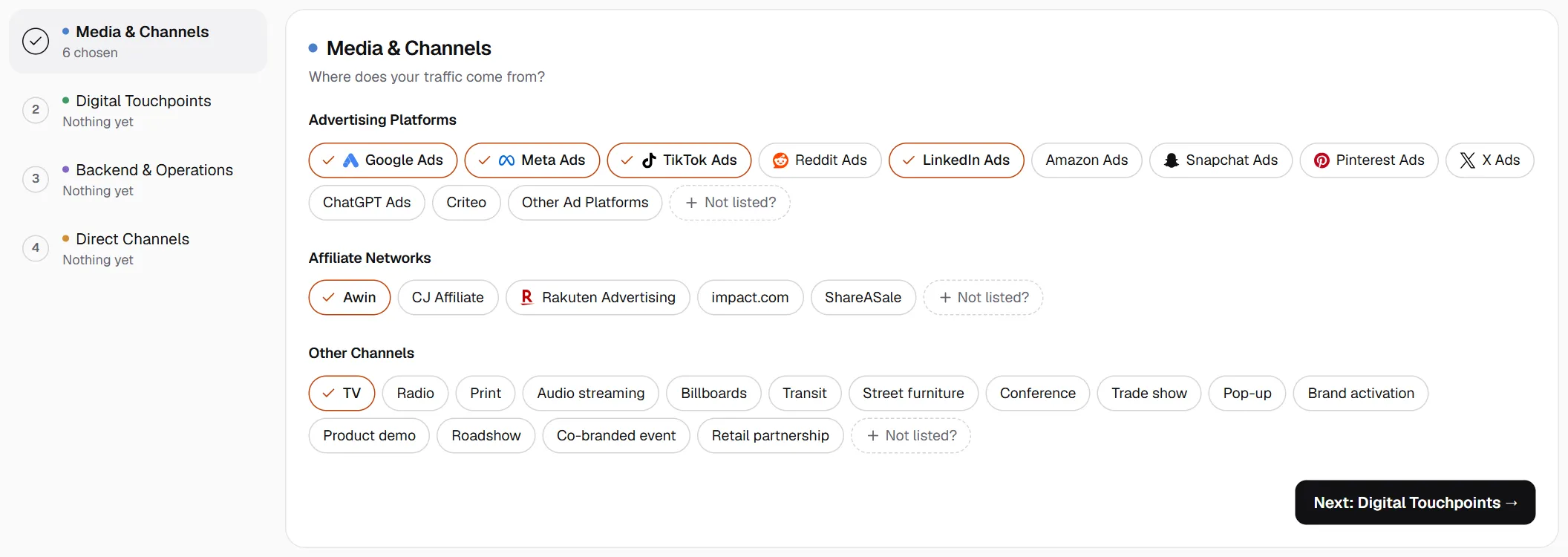
Start from your setup, not a blank canvas
Tick the channels, platforms and systems your business already runs, or scan your website, and the Stack Builder suggests tools that integrate with them. In Miro you start from a blank page and your own knowledge of the market.
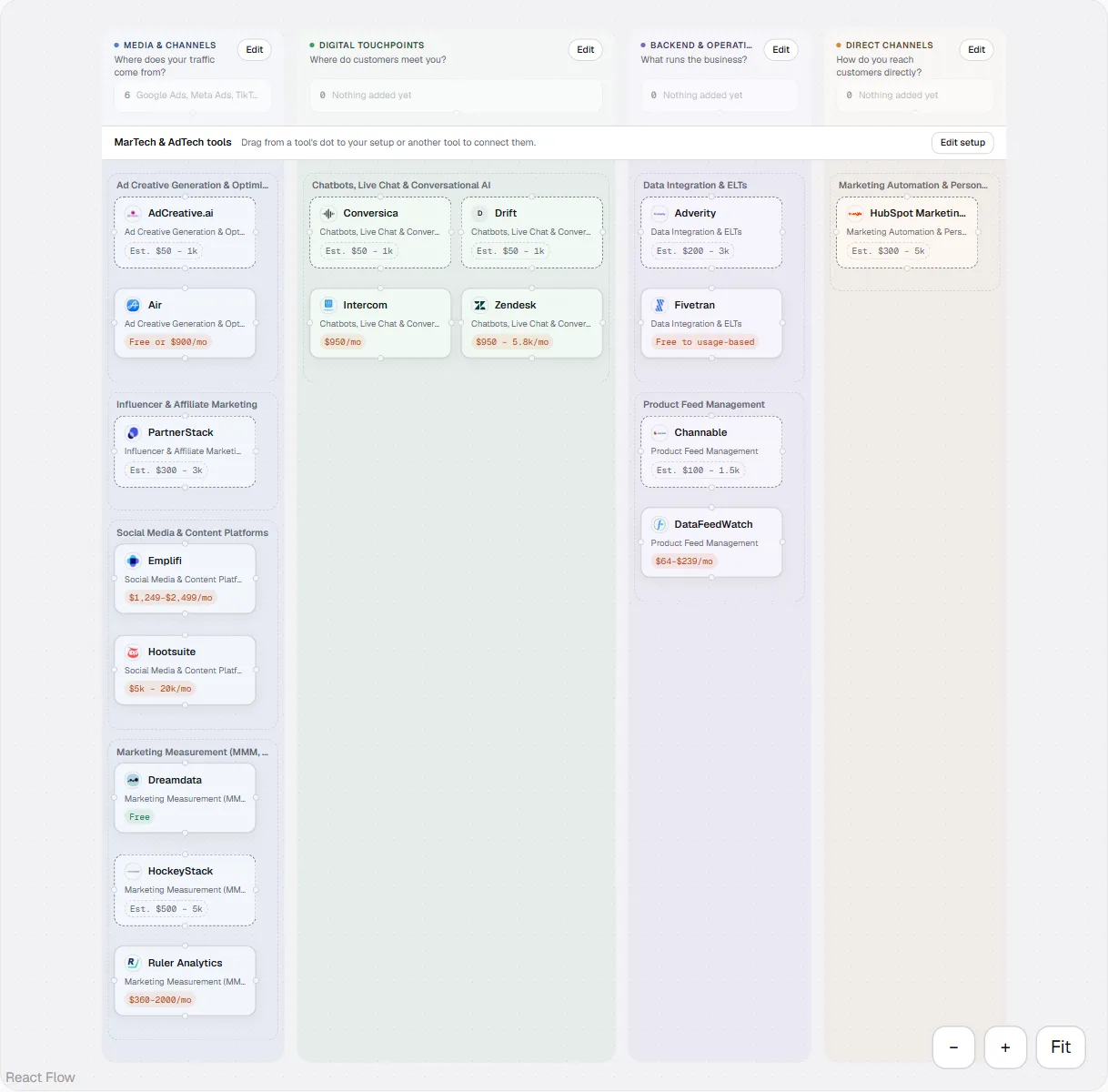
Real tools, already organised
Every block is a reviewed tool from the AIMadTech directory, with its logo and category, and it lands in the right zone and category without dragging boxes around. In Miro you find each logo, size it and decide where it goes.
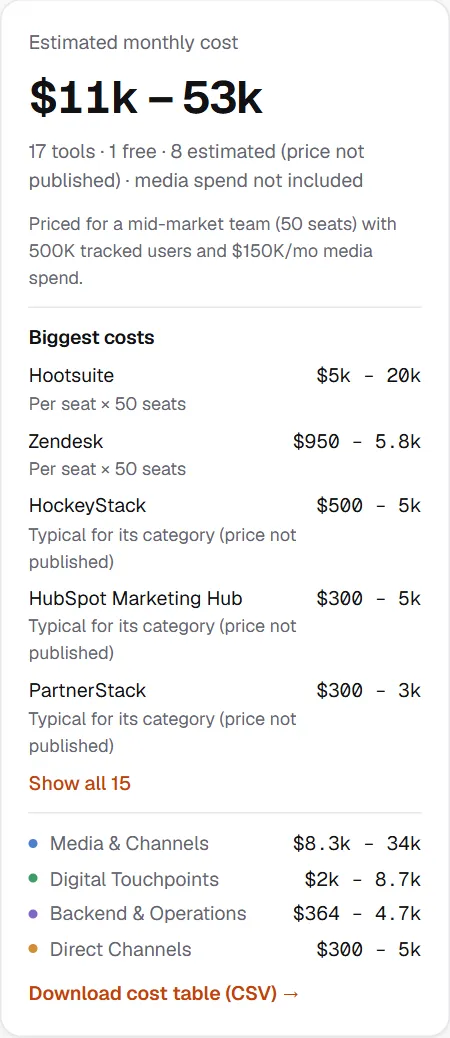
A budget next to the diagram
The Stack Builder estimates what the stack costs per month from each tool's published or typical pricing, adjusted for your company size, tracked users and media spend. Miro draws the picture; the numbers live somewhere else.
Swap, compare and export
Replace a tool with an alternative from the same category and the cost updates. Export the diagram as a PNG and the costs as a CSV for your deck or finance team.
When to use Miro instead
- You are running a live workshop and the stack is one part of a wider brainstorm.
- You need many people drawing and commenting on the same board at once.
- The diagram is about process or people as much as tools, and needs freeform shapes.
Questions
Is the Stack Builder free?
Yes. You can build a stack, see its estimated cost and export it without an account; it is saved on your device. A free account adds saving across devices, share links and the website scan.
Can I move my Miro diagram into the Stack Builder?
There is no import. Most stacks take a few minutes to rebuild: tick your setup, search for each tool and add it, and the Stack Builder places it for you. A website scan can add the tools your site already runs.
How accurate are the costs?
They are estimates. Each tool shows whether its price is published by the vendor, set by our editors or typical for its category, and you can change the assumptions (company size, tracked users, media spend). Media spend itself isn't included.
Does the Stack Builder have real-time collaboration like Miro?
No. One person edits a stack at a time; with a free account you can share a read-only link. Use Miro when several people need to draw together.
Can I use both?
Yes. Many teams plan the stack and its budget in the Stack Builder, export the PNG and drop it into the Miro board they use for the workshop.
Map your stack in minutes
Tick what your business already runs, add tools from 202 reviewed MarTech and AdTech listings, and see what the stack costs per month.
Open the Stack Builder